 mrsentry
ECR scanning
Teams configure Amazon ECR differently: basic or enhanced scanning, on push or continuous. mrsentry reads the effective configuration for each repository and decides how far to trust the findings.
Enhanced · Continuous
Amazon Inspector re-evaluates the image whenever a new CVE is published.
Enhanced · On push
Scanned once, when the image was pushed. ECR can't re-run the scan.
Basic · On push / manual
Mostly OS packages. Scanned on push or on demand.
How the scan profile is detected
ecr:GetRegistryScanningConfigurationgives the registry scan type (BASICorENHANCED) and its rules.ecr:BatchGetRepositoryScanningConfigurationgives the frequency that actually applies to this repository (SCAN_ON_PUSH,CONTINUOUS_SCANorMANUAL) and the filter that matched.- The legacy repository setting
imageScanningConfiguration.scanOnPushfromDescribeRepositoriesis used when nothing else is configured.
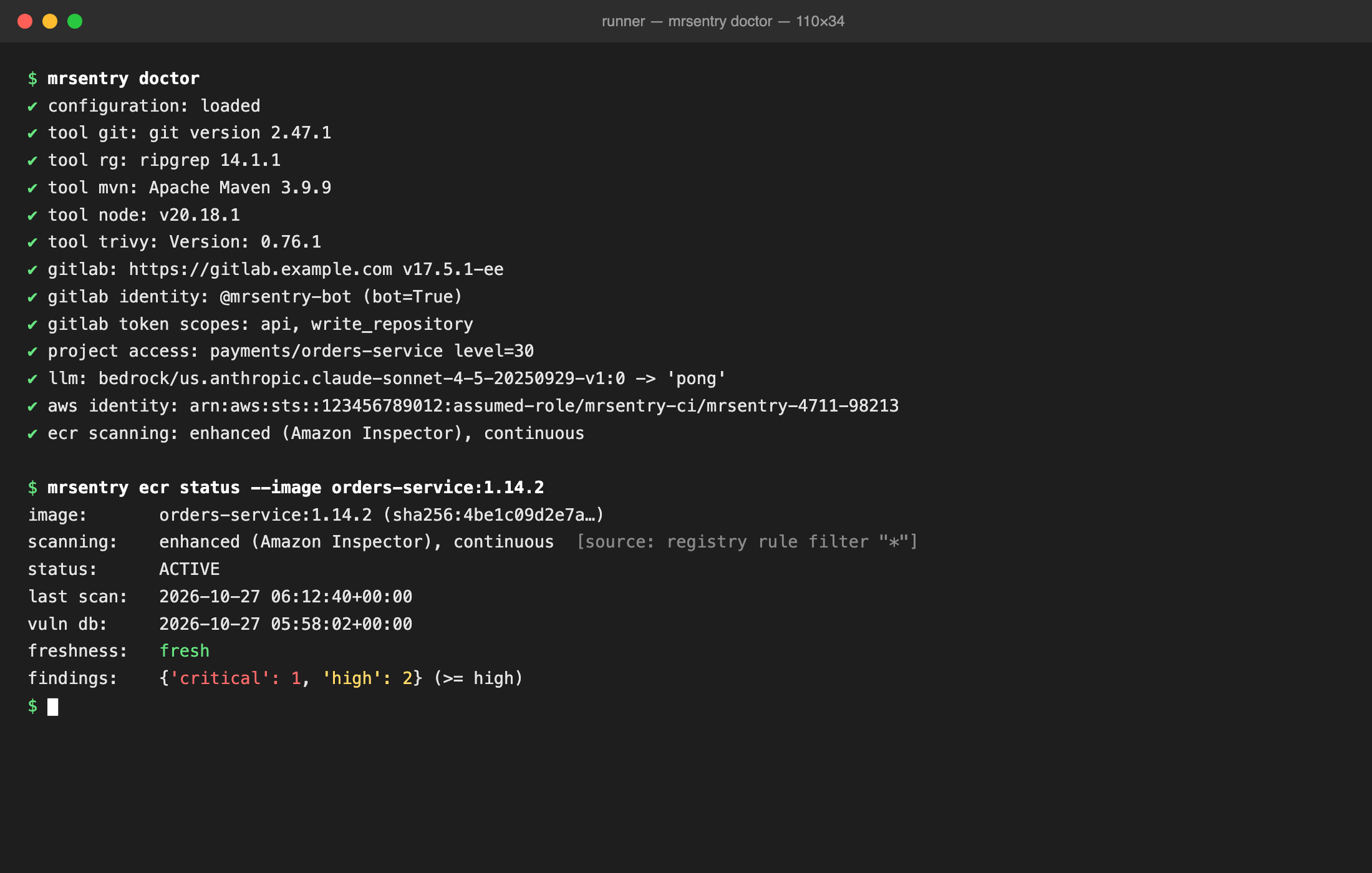
Run mrsentry ecr status --image <repo> to see the result:
Freshness rules
| Scan type | Frequency | Fresh when | If stale |
|---|---|---|---|
| Enhanced (Inspector) | Continuous | Always. Inspector re-evaluates images when new CVEs are published, unless the status is SCAN_ELIGIBILITY_EXPIRED. | local scan |
| Enhanced (Inspector) | On push | Last scan is younger than ecr.freshness_max_age | ECR can't re-trigger it, so local (Trivy/Grype), warn or fail |
| Basic | On push / manual | Last scan is younger than ecr.freshness_max_age | StartImageScan (ECR allows one per image every 24h), then local if that isn't possible |
A missing scan, or a status of FAILED or UNSUPPORTED_IMAGE, is handled the same way as stale data. Choose the behaviour with ecr.on_stale:
| Value | Behaviour |
|---|---|
rescan (default) | Basic: trigger StartImageScan and wait up to ecr.rescan_wait_s. If that's not possible, or the repository uses enhanced scanning, run the local scanner. |
local | Pull the image with ECR credentials and scan it with ecr.local_scanner (trivy or grype). |
warn | Use the stale findings and say so prominently in the report. |
fail | Exit with code 7. |
Basic scanning mostly covers OS packages. To find application dependencies (jars, node_modules, Python site-packages), use enhanced scanning or the local Trivy fallback, which the full Docker image includes.
Choosing the image
orders-service:1.14.2,orders-service@sha256:…or the full URI123456789012.dkr.ecr.eu-west-1.amazonaws.com/orders-service:1.14.2.- Without a tag,
ecr.tag_strategydecides:latest-pushed(default) orsemver, withecr.tag_filter(a regex) to limit candidates, e.g.^v?\d+\.\d+\.\d+$. - Cross-account registries: set
ecr.registry_id. Region comes from the URI,ecr.region, or the AWS default chain.
What is collected
From enhanced findings mrsentry collects the package name, version, package manager, file path inside the image (for example /app/lib/jackson-databind-2.13.3.jar), fixed version, CVSS and whether an exploit is available. The file path tells your application's dependencies apart from base-image packages. Only findings at or above ecr.min_severity (default high) are acted on.
OS and base-image packages are listed in the report with a hint to rebuild on a patched base image (ecr.include_os_packages: report), or left out (ignore).
Accepted risks
ecr:
  ignore:
    - id: CVE-2023-0286
      reason: "Not reachable: we never load X.400 certificates (SEC-1182)"
      expires: 2027-03-31
      package: cryptography       # optional: only for this package
An entry stops applying after expires, and every report lists what was ignored. Repositories can add their own entries in .mrsentry.yml.